WhatsApp June 2026 Update
WhatsApp continued its rapid evolution in June 2026 with one of its most significant updates in recent years. With more than three billion users worldwide, the platform is moving beyond a simple messaging app into a complete communication, AI, and business ecosystem. The June 2026 update introduces new privacy features, AI enhancements, improved business tools, and a redesigned user experience. These changes focus on making conversations more secure, improving productivity, and helping businesses connect with customers more effectively. 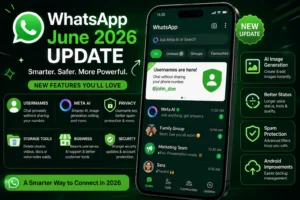
1. Usernames Replace Phone Numbers
The biggest announcement in June 2026 is the rollout of WhatsApp Usernames. Until now, users had to share their phone number to connect with someone. With the new update, users can create a unique username (such as @johnsmith) and share that instead.
This feature provides several benefits:
- Better privacy because your phone number stays hidden.
- Easier networking with new people.
- Businesses can use branded usernames.
- Similar experience to Instagram, Telegram, and X.
Users can create a username by opening:
Settings → Account → Username
The feature is rolling out gradually across different countries and devices. WhatsApp has also reserved usernames for well-known public figures and organizations to reduce impersonation risks.
2. Optional Username Security Key
To make usernames even more secure, WhatsApp introduced an optional Username Key.
Instead of allowing anyone who knows your username to message you, you can require a four-digit security key. Only people with both your username and key can start a conversation.
Benefits include:
- Better protection against spam.
- More privacy.
- Reduced impersonation.
- Greater control over who contacts you.
This makes WhatsApp one of the most privacy-focused messaging apps available.
3. Meta AI Gets Smarter
Meta AI continues expanding across WhatsApp.
New AI capabilities include:
- Writing messages.
- Rewriting text professionally.
- Summarizing long conversations.
- Generating images.
- Editing photos.
- Brainstorming ideas.
- Translating messages.
- Answering questions without leaving WhatsApp.
Businesses can also use Meta AI to answer customer questions automatically, reducing response times and improving customer support. Many of these AI features have been tested in beta and are expanding during 2026.
4. AI Image Generation
WhatsApp now integrates AI image creation more deeply.
Users can:
- Generate images using text prompts.
- Edit existing photos.
- Remove unwanted objects.
- Apply artistic styles.
- Improve image quality.
- Create unique Status images.
Instead of switching between different AI apps, users can create visuals directly inside WhatsApp.
5. Better Status Features
Status receives several improvements.
New features include:
- Longer voice status recordings.
- AI-enhanced image editing.
- Improved media quality.
- Better privacy controls.
- More creative tools.
Businesses can also create richer promotional Status updates.
6. Advanced Storage Management
Many users struggle with WhatsApp consuming storage.
The June update introduces smarter storage tools.
Users can now delete:
- Photos only
- Videos only
- Voice notes only
- Documents only
- GIFs only
This allows users to free up storage without deleting entire conversations.
7. Improved Business Accounts
WhatsApp Business gains several new features.
Businesses can:
- Reserve official usernames.
- Improve brand identity.
- Offer AI-powered customer support.
- Build stronger customer trust.
- Prepare for future commerce features.
Official usernames also help customers verify they are communicating with the correct business.
8. Enhanced Spam Protection
Spam prevention is another major focus.
WhatsApp now provides:
- Better detection of fake accounts.
- Improved reporting tools.
- Enhanced blocking systems.
- Stronger protection against impersonation.
Combined with usernames, these improvements make unwanted messages much less common.
9. Improved Security
WhatsApp released important security updates addressing vulnerabilities and recommends users install the latest version to stay protected. The platform continues to strengthen end-to-end encryption and account security.
10. Better Android Integration
Android users benefit from improved backup management.
Some supported devices now allow WhatsApp backup settings to be managed more centrally through Android system settings, making backups easier to monitor and control.
11. Better Group Communication
Groups continue receiving improvements.
Enhancements include:
- Better message organization.
- Improved notifications.
- Faster media sharing.
- Smoother administration tools.
- Improved group calling experience.
These changes make WhatsApp more useful for schools, businesses, communities, and families.
12. Improved User Interface
The June update also includes visual improvements:
- Cleaner settings pages.
- Faster animations.
- Better navigation.
- Improved dark mode.
- More responsive design.
The interface feels faster and easier to use across Android and iPhone.
13. Better Privacy Controls
Privacy settings continue to expand.
Users can now better control:
- Who can message them.
- Who sees profile information.
- Who views Status updates.
- Who can add them to groups.
- Username visibility.
These controls provide a more personalized and secure experience.
14. Benefits for Businesses
For businesses, the update is especially valuable.
Benefits include:
- Professional usernames.
- AI-assisted customer service.
- Stronger brand recognition.
- Better customer trust.
- Easier communication without exposing phone numbers.
These features help small businesses, startups, and larger organizations create a more professional presence on WhatsApp.